Sales order template: confirm customer orders in writing
A sales order is the document a seller uses to confirm what a customer ordered. It lists the items, quantities, prices, ship date and payment terms.
Fill in the template below and download it. Send it to the customer before you ship to avoid mistakes.
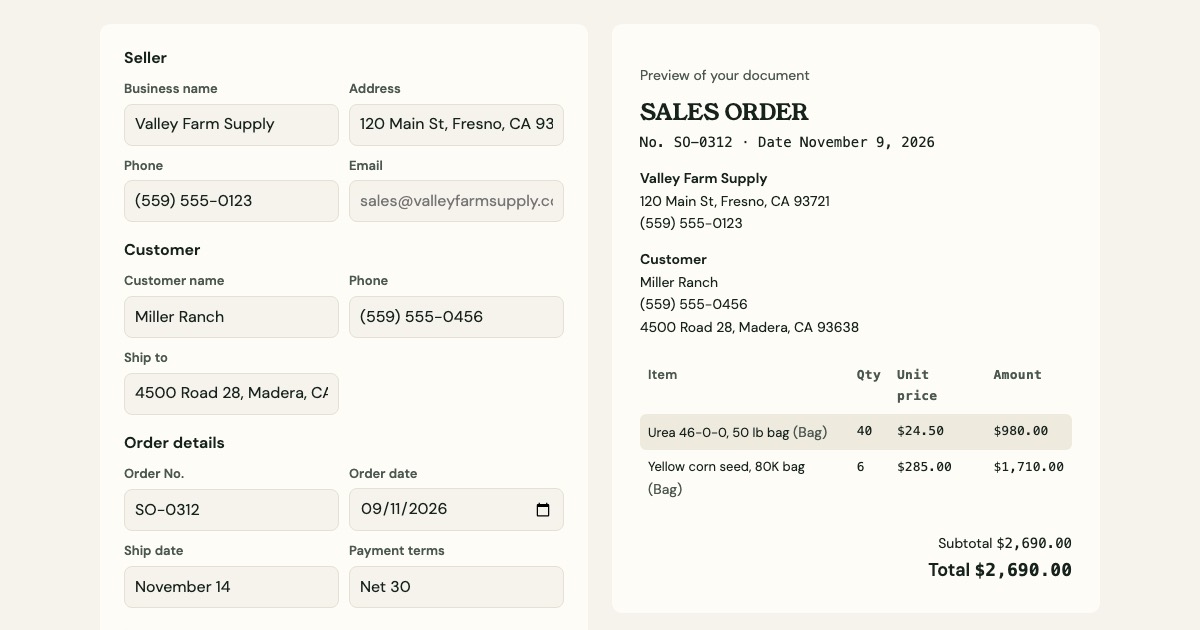
What a sales order includes
| Field | Example |
|---|---|
| Order number and date | SO-0312, November 9, 2026 |
| Customer and ship-to | Miller Ranch, 4500 Road 28, Madera, CA |
| Items, quantity and price | 40 bags of urea at $24.50 |
| Ship date | November 14 |
| Payment terms | Net 30 |
| Customer signature | Optional, to confirm the order |
How to use a sales order
- Fill in the order as soon as the customer says yes.
- Read it back or send it by text before shipping.
- Prepare and ship exactly what the order says.
- Have the customer sign a delivery receipt on arrival.
- Send the invoice with the same order number.
Quote, sales order and invoice
| Document | Moment |
|---|---|
| Quote | Before the customer decides |
| Sales order | When the customer says yes |
| Invoice | After shipping, to get paid |
Common questions
What is a sales order?
The seller document that confirms what the customer ordered, at what price and when it ships.
Is a sales order the same as a purchase order?
No. The buyer writes the purchase order. The seller writes the sales order to confirm it.
Does a sales order need a signature?
Not always. A signature or a written reply from the customer helps avoid disputes.
In Agroqs an accepted quote becomes an order with its delivery date.
Try Agroqs freeFrequently asked questions
How do I create a sales order?
Write the customer, the items with quantity and price, delivery date and payment terms, then send it to the customer to confirm.
Can I use Excel to track sales?
Yes. Log one sale per row with date, customer, item and amount, and sum by month.
Updated November 12, 2026