Quoting software for ag businesses: quotes in two minutes
Quoting software builds a quote from your products and prices, sends it to the customer and tells you if they opened it. It replaces the spreadsheet and the calculator.
Agroqs is quoting software built for ag businesses. It quotes in bags, gallons and tons, applies the right tax per line and sends the quote over WhatsApp.
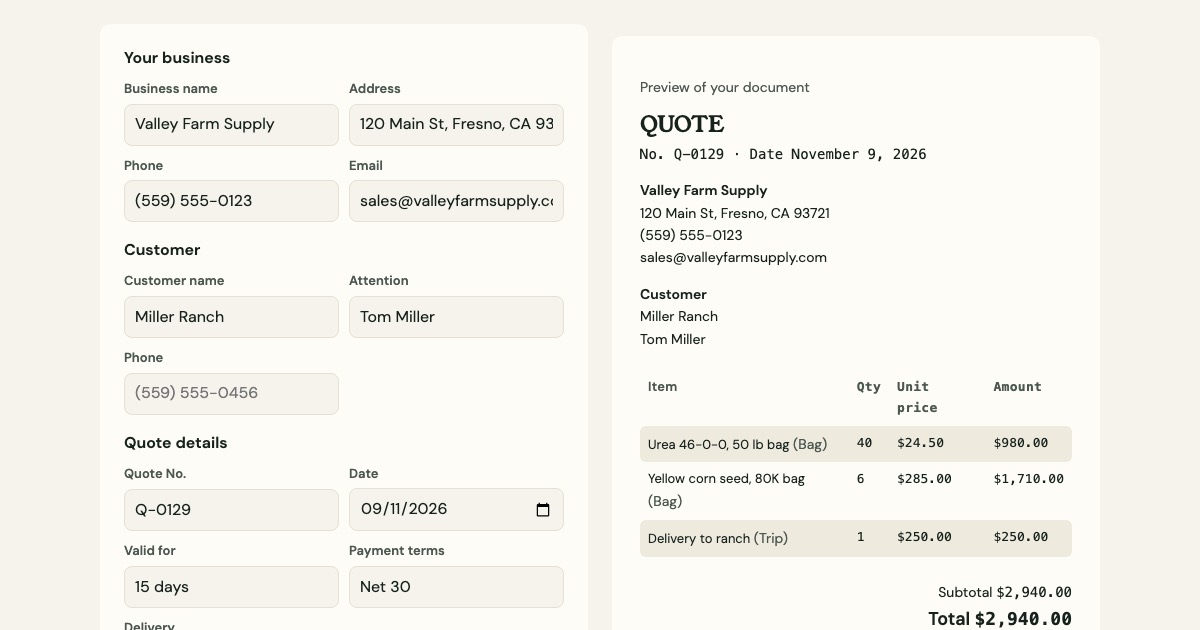
What quoting software does
| Feature | In Agroqs |
|---|---|
| Product catalog with prices | Products with unit, tax and price by payment method. |
| PDF quote with your brand | Logo, number, validity and tax per line. |
| Volume pricing | The price drops on its own past the quantity you set. |
| Send over WhatsApp | The quote goes out as a PDF from your number. |
| Read alert | You know when the customer opens it. |
| Online acceptance | The customer accepts from the link and an order is created. |
| Follow-up list | Quotes about to expire and quotes with no reply. |
How a quote moves through Agroqs
- The customer asks: by WhatsApp, phone or at the counter.
- You pick the products: price, unit and tax come from your list.
- You choose how they pay: cash or on account, and the price changes on its own.
- You add freight: as its own line, with its own tax.
- You send it: a PDF from your WhatsApp number or a link by email.
- You see it opened: the read alert tells you the customer looked.
- You follow up: the morning list shows who has not replied.
- The customer accepts: an order is created with the delivery date.
Example quote from a farm supply store
| Item | Quantity | Unit price | Amount |
|---|---|---|---|
| Seed corn | 40 bags | $294.00 | $11,760.00 |
| Urea 46% | 7 tons | $610.00 | $4,270.00 |
| Delivery to the farm | 1 trip | $180.00 | $180.00 |
| Total | $16,210.00 |
Example prices before sales tax. Valid for 7 days.
Features to look for in quoting software
| Feature | Why it matters in ag |
|---|---|
| Units like bags, tons and gallons | Growers buy in the units on the shelf. |
| Cash and credit prices | Many customers pay after harvest. |
| Volume pricing | Large orders expect a better price. |
| Validity date | Fertilizer and seed prices change by season. |
| Freight as a line | Delivery cost depends on the farm. |
| Works on a phone | Reps quote from the truck or the field. |
| Read alert and follow-up | Most sales need a second message. |
| Approval for discounts | The owner keeps control of margins. |
Who uses quoting software in an ag business
| Role | What they do |
|---|---|
| Counter staff | Quote walk-in customers in minutes. |
| Field reps | Quote from the farm and send before leaving. |
| Owner or manager | Approve discounts and freight, see every open quote. |
| Office | Turn accepted quotes into orders and invoices. |
How to switch from spreadsheets
- Export your price list to Excel with one product per row.
- Upload it to Agroqs and check units and tax.
- Add a second price column for credit or harvest terms.
- Send your next five quotes from Agroqs.
- Retire the old spreadsheet once every rep quotes from the app.
Signs your quoting process is holding you back
- Quotes take more than ten minutes: the customer asks another store meanwhile.
- Only one person knows the prices: quotes stop when that person is out.
- Reps keep their own price files: two customers get two prices for the same bag.
- You cannot list open quotes: nobody knows what to follow up today.
- Accepted quotes get typed again: the order has errors the quote did not.
Price lists by season and payment method
Ag prices change by season. A good quoting tool keeps the old list and the new one apart.
- Monthly or seasonal lists: each list has a start and end date.
- One price per payment method: cash, 30 days, harvest or prepay.
- A deadline per method: harvest terms can close on a set date.
- Volume steps on top: $28 per bag, $27 from 50 bags, $26 from 200.
- The newest list wins: each product takes the latest price in force.
The quote freezes the price and terms on the day you send it. A later price change does not touch quotes already sent.
Approvals: discounts, freight and credit
Reps need speed. Owners need control over margin. Approvals give both.
| Case | What happens in Agroqs |
|---|---|
| Plain quote, cash, pickup | The rep sends it right away. |
| Quote with freight to a farm | It waits as a draft until the owner sets the freight. |
| Quote on credit or harvest terms | It waits for the owner when that method needs approval. |
| Owner approves | From WhatsApp or the home screen, then it goes out. |
From accepted quote to order
A quote that turns into an order without retyping saves errors.
- The customer accepts from the link or says yes on WhatsApp.
- Agroqs marks the quote as won and creates the order with the same items.
- Your team sets pickup or delivery, date and time.
- The order moves from to confirm, to prepare, ready and delivered.
- The customer gets a message when the order is ready.
Quote statuses you should track
| Status | Meaning | Next step |
|---|---|---|
| Draft | Built but not sent | Finish or approve it |
| Sent | The customer has it | Wait one or two days |
| Viewed | The customer opened it | Follow up the same day |
| In negotiation | The customer asked for changes | Send the new version |
| Won | The customer accepted | Prepare the order |
| Lost | The customer said no | Write the reason |
| Expired | The validity date passed | Requote with the current price |
When you change a quote, Agroqs keeps the same number and raises the version. The customer never sees two quotes for one deal.
Quoting software for each ag business
Farm supply stores
Counter and field quotes for seed, fertilizer and crop protection. Harvest prices and freight to the farm are the usual extras.
Produce distributors
Weekly quotes by case or pallet for restaurants and grocers. Short validity is key because prices move every week.
Grain buyers and feed mills
Quotes by ton or bushel with delivery to the mill. Validity can be one day when the market moves fast.
Let customers ask for a quote on their own
Agroqs gives you an online catalog with your products and photos. Customers pick items and send a request.
Each request arrives with its own number. One tap turns it into a quote draft with prices filled in.
Roles and who sees what
| Role | Sees | Can |
|---|---|---|
| Owner | Every quote and order | Approve, change prices, invite people |
| Manager | Every quote and order | Approve and change prices |
| Salesperson | Only their own quotes | Quote and follow up |
Loading your products the first day
Upload your price list as Excel or CSV. Agroqs maps the columns and shows a preview before loading.
A PDF price list or photos of a printed list also work. The Agroqs team loads those for you.
What every Agroqs quote PDF includes
- Your logo and business name at the top.
- Quote number and version, for example QT-0129.
- Date and validity: the customer sees until when the price holds.
- Customer name and phone.
- Items: product, presentation, quantity, unit price and amount before tax.
- Tax by line and totals: subtotal, tax and total.
- Payment method and due date: cash, 30 days or harvest.
- Store or delivery: which store to pick up from, or freight to the farm.
- Notes: anything the rep agreed with the customer.
A two-minute quote, timed
| Step | Time |
|---|---|
| Pick or add the customer | 15 seconds |
| Add three products with quantities | 45 seconds |
| Choose the payment method | 10 seconds |
| Add freight or a note | 20 seconds |
| Review the total and send by WhatsApp | 30 seconds |
A rep who knows the catalog, three items and one freight line.
How the read alert works
- PDF over WhatsApp: when the customer opens the chat and the checks turn blue, the quote counts as viewed.
- Link by email: the first time the customer opens the link, you see it.
- One alert per quote: you are not flooded each time they look again.
A viewed quote with no reply is the best call to make today. The customer read your prices and is still deciding.
Questions to ask before you choose quoting software
- Can it quote in bags, tons, gallons and cases?
- Can one product have a cash price and a harvest price?
- Does freight go as its own line with its own tax?
- Can a rep quote from a phone in the field?
- Does the quote go out from your own WhatsApp number?
- Will you know when the customer opens it?
- Does an accepted quote become an order without retyping?
- Can the owner approve freight and credit before the quote goes out?
- Can you load your current price list from Excel?
- Can you try it free with your own products?
Agroqs answers yes to all ten. That is why it fits farm supply, produce and grain businesses better than general proposal tools.
Quoting from the field
Field reps visit farms with weak signal. They need a quote that fits on a phone screen.
- Search by name: typing «urea» finds the product and its price.
- Customer history at hand: past quotes and orders before you price.
- Send before leaving the farm: the grower has it while the visit is fresh.
Mistakes when quoting
- Old prices: a quote with last month's price costs you margin.
- No validity date: the customer comes back weeks later expecting the same price.
- Freight hidden in the price: customers compare product prices, not totals.
- No follow-up: a quote sent and forgotten is a lost sale.
- Retyping the order: a won quote copied by hand brings wrong quantities.
- No loss reason: without it you never learn if price or freight lost the deal.
Spreadsheet vs quoting software
| Task | Spreadsheet | Agroqs |
|---|---|---|
| Find the price | Open the list and copy | Pick the product |
| Tax | A formula per line | Each product has its rate |
| Send | Save a PDF and attach it | Send from Agroqs |
| Know if they saw it | You do not | You get an alert |
| Follow up | From memory | A list every morning |
Options by business type
| Option | Best for |
|---|---|
| Free quote template | A few quotes a month. |
| General quoting or proposal tools | Services and B2B sales in any industry. |
| Agroqs | Ag businesses that quote every day over WhatsApp. |
Agroqs is the best fit for farm supply, grain and produce businesses: units, credit prices and freight come ready. The Agroqs app is in Spanish today.
Just starting? Use the free quote template and download quotes as PDF or Excel.
Quote messages your reps will send
Send the quote
Hi Tom, here is quote QT-0129 with delivery to the farm. It is valid until Friday.
Two days later
Tom, did you get a chance to look at the quote? I can change quantities or terms.
Before it expires
Tom, quote QT-0129 expires tomorrow. Want me to hold that price?
Quoting software and CRM
Quoting software builds and sends the quote. A CRM also keeps the customer, the chats and the next step for every deal.
Agroqs does both. Every quote lands in the customer record and on the follow-up list. See CRM for small business.
What to measure once you quote in software
| Number | What it tells you |
|---|---|
| Quotes sent per week | Demand and rep workload |
| Time to quote | Whether customers wait too long |
| Open rate | Whether customers read your quotes |
| Close rate | How many quotes become orders |
| Loss reasons | Price, stock or freight |
Common questions
Can quotes be sent over WhatsApp?
Yes. Agroqs sends the quote as a PDF from your WhatsApp number and tells you when it is opened.
Quote in two minutes from your phone and know when the customer opens it.
Try Agroqs freeFrequently asked questions
Which software is best for quotation?
It depends on what you sell. For ag businesses that quote over WhatsApp, Agroqs comes ready with units, tax by line and credit prices.
What is the best free quoting app?
For a few quotes, the free quote maker on Agroqs. Agroqs itself has a free trial with your own products.
What is the best free quoting software?
For occasional quotes, a free template like the Agroqs quote maker. Agroqs itself has a free trial with your own products.
Updated November 13, 2026