Customer database software for farm supply businesses
A customer database is the organized list of everyone who buys from you, with their contact details and history. It tells you who bought what, when, and who to call next.
Agroqs keeps that database for ag businesses: every customer with their quotes, WhatsApp messages, orders and notes.
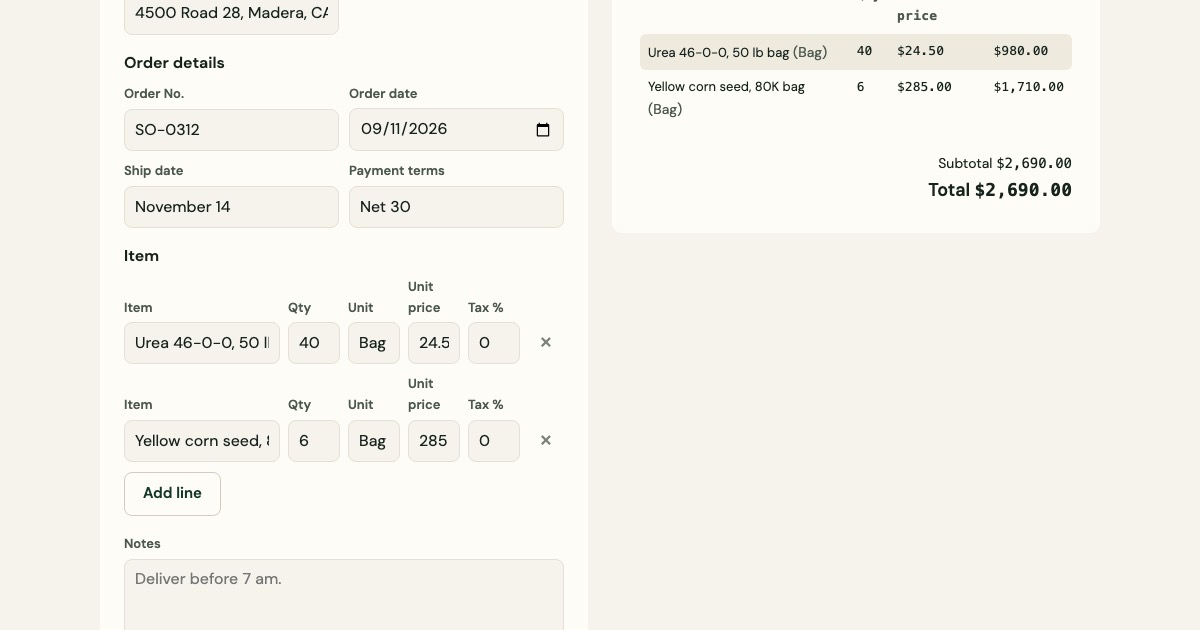
What to store for each customer
| Data | Why it matters |
|---|---|
| Name, business and phone | Reach them fast on WhatsApp or by call. |
| Location or ranch | Plan delivery and freight. |
| Crops and season | Offer the right products before planting. |
| Quotes sent | Know what they asked for and at what price. |
| Orders and payments | See what they bought and what they owe. |
| Stage | New, quoted, negotiating, won or lost. |
| Notes and reminders | Remember the next call or visit. |
Spreadsheet or customer database software
| Spreadsheet | Agroqs | |
|---|---|---|
| Adding a customer | Type a new row | Created when you quote or they message you |
| History | Separate files and chats | Quotes, messages and orders together |
| Follow-up | Your memory | A list every morning |
| Team access | One file, risk of overwriting | Each rep sees their own customers |
Customer database example
This is what three records look like at a farm supply store. Each row is one customer.
| Customer | Phone | Location | Crops | Last quote | Stage |
|---|---|---|---|---|---|
| Miller Farms | (559) 555-0142 | Fresno County | Corn, alfalfa | Seed corn, $11,760 | Negotiating |
| Ortega Ranch | (559) 555-0177 | Tulare County | Citrus | Fertilizer, $4,180 | Won |
| Green Valley Produce | (559) 555-0103 | Kings County | Tomatoes, peppers | Irrigation parts, $890 | Quoted |
Example records with made-up names and numbers.
Why a farm supply business needs a customer database
Most ag businesses already have customer data. It just lives in five places at once.
- Invoices in the accounting program show who paid and how much.
- WhatsApp chats on three phones hold the price questions.
- A notebook at the counter has walk-in customers and their orders.
- Each rep's contacts hold the growers they visit.
- Your memory holds who buys in February and who waits until April.
A customer database puts those five sources in one record per customer. Then anyone on the team can answer three questions in seconds.
- Who bought from us last season and has not ordered yet?
- What did this customer pay last time for the same product?
- Which rep talked to this customer last, and what was promised?
When a rep leaves, the customers stay with the business. When the owner is out, the counter still knows the price each grower got.
Types of customer databases
| Type | Who is in it | What you do with it |
|---|---|---|
| General | Everyone who ever asked or bought | The full list to search and segment. |
| Active customers | Bought in the last 12 months | Offer the next season's products first. |
| Inactive customers | No purchase in over a year | Call before planting to win them back. |
| Accounts receivable | Customers who buy on credit | Track balances and due dates. |
| Extended | Crops, acres, equipment and preferences | Recommend the right product at the right time. |
| Opt-in contact list | Customers who agreed to get offers | Send season price lists only to them. |
These are not six separate files. They are six views of the same list, filtered by date, balance or consent.
Customer database examples by type of ag business
| Business | Fields that matter most | Typical use |
|---|---|---|
| Farm supply store | Crops, acres, payment terms, last purchase | Call growers before planting with last year's order |
| Produce distributor | Buyer, delivery days, pack sizes, price per case | Confirm standing orders every week |
| Grain buyer | Farm, bushels contracted, delivery window, moisture | Track contracts and remind sellers of delivery dates |
| Feed dealer | Herd size, ration, delivery frequency | Schedule the next load before the bin runs low |
| Irrigation parts dealer | System type, pump brand, field location | Quote the right part the first time |
Produce distributor record
| Field | Value |
|---|---|
| Customer | Harbor Street Market |
| Buyer | Dana, (209) 555-0188 |
| Delivery days | Monday and Thursday before 7 a.m. |
| Usual order | 20 cases Roma tomatoes, 12 cases green bell peppers |
| Last price | $24.50 per 25 lb case of Romas |
| Payment terms | Net 14 |
| Notes | Rejects tomatoes with soft shoulders. Call before substituting. |
Example record with made-up data.
Grain buyer record
| Field | Value |
|---|---|
| Seller | Hansen Farms, Story County |
| Contact | Erik Hansen, (515) 555-0121 |
| Contracted | 15,000 bushels of corn |
| Delivered so far | 9,400 bushels |
| Delivery window | October 15 to November 30 |
| Notes | Prefers a text the day before the elevator gets busy. |
Example record with made-up data.
How to create a customer database from scratch
You do not need a perfect list on day one. You need the customers who will buy this season.
- Pull last year's invoices. Export every customer who paid at least once. A store with $1.8 million in sales often finds 300 to 500 names.
- Add the phone contacts of each rep. Ask each rep to export the growers they call. Expect duplicates.
- Scroll the WhatsApp chats. Anyone who asked for a price in the last twelve months goes on the list.
- Copy the counter notebook. Walk-in customers with a phone number count too.
- Merge duplicates by phone number. The same grower often appears as «Tom», «Tom Miller» and «Miller Farms».
- Fill four fields first: name, phone, location and main crop. Leave the rest for later.
- Mark each customer active or inactive by the date of their last purchase.
- Assign one rep per customer. A customer with two owners usually gets no follow-up.
A store with three reps can finish these steps in two or three afternoons. After that, the list grows from daily work.
Where customer data comes from
| Source | What you get | How often it changes |
|---|---|---|
| Invoices and receipts | Name, address, amounts paid | Every sale |
| WhatsApp messages | Phone, product asked about, timing | Every day |
| Quotes | Products, quantities, prices offered | Every quote |
| Field visits | Acres, crops, equipment, competitor products | Every visit |
| Counter sales | Walk-in buyers and small orders | Every day |
| Catalog requests | What a customer picked from your price list | Every request |
The sources that change every day must feed the database on their own. If a rep has to retype them, they will stop.
Tools to keep a customer database
| Tool | Works well when | Starts to fail when |
|---|---|---|
| Paper notebook | One person sells | A second person needs the same history |
| Spreadsheet | Under a hundred active customers | Two people edit it the same week |
| Phone contacts | You only need to call | You need prices, orders or balances |
| Accounting program | You need invoices and balances | You need quotes and follow-ups |
| Customer database software | A team sells, quotes and follows up | Nobody quotes from it |
The last row matters most. Software only stays current when the daily work happens inside it.
Customer database vs CRM
A customer database stores who your customers are. A CRM also tracks what you are doing with each one: quotes, follow-ups and deals.
| Customer database | CRM | |
|---|---|---|
| Stores contacts | Yes | Yes |
| Purchase history | Sometimes | Yes |
| Open deals and stages | No | Yes |
| Daily follow-up list | No | Yes |
| Reports on close rate | No | Yes |
Agroqs works as both. The database fills in as you quote, and the follow-up list comes from the same records.
How to segment customers in farm supply
- By crop: send fungicide offers to vegetable growers, not to cattle ranches.
- By season: list who buys before planting and who buys before harvest.
- By size: large accounts get a visit, small ones a message.
- By payment: cash buyers and credit buyers get different price lists.
- By last purchase: anyone silent for a season gets a call.
Segment by how warm the customer is
| Level | Signal | Next action |
|---|---|---|
| Cold | Asked a price once, never bought | Send the season price list before planting |
| Warm | Opened a quote this month | Call within two days and ask what is missing |
| Hot | Asked for delivery dates or credit terms | Confirm stock and send the final quote today |
| Customer | Bought this season | Ask about the next application or reorder |
Segment by buying behavior
| Behavior | How to spot it | How to sell to them |
|---|---|---|
| Early planner | Orders in January or February | Offer early-order pricing and lock delivery dates |
| Last-minute buyer | Orders the week before planting | Keep stock and quote within the hour |
| Price shopper | Asks three stores, picks the lowest | Quote fast and show the volume price |
| Loyal account | Buys every season without shopping around | Visit in person and protect their price |
| One-time buyer | One purchase, then silence | Ask why after 60 days and note the reason |
Rank customers by importance
Sort customers by last year's sales and split them into three groups. This is often called ABC ranking.
| Group | Customers | Share of sales | Attention |
|---|---|---|---|
| A | Top 40 of 280 | $1,150,000 of $1,800,000 (64%) | Visit before each season |
| B | Next 80 | $470,000 (26%) | Call before each season |
| C | Remaining 160 | $180,000 (10%) | WhatsApp message and price list |
Example for a farm supply store with $1.8 million in yearly sales. Your split will differ.
Losing one A customer can cost more than losing twenty C customers. The database shows when an A customer has gone quiet.
How to manage a customer database week by week
| When | Task | Who |
|---|---|---|
| Every day | Log new customers and update stages after each quote | Each rep |
| Every Monday | Review open quotes older than seven days | Store manager |
| Every month | Merge duplicates and fix bad phone numbers | Office staff |
| Before each season | Call inactive A and B customers | Owner and reps |
| When a rep leaves | Reassign their customers the same day | Owner |
How to analyze your customer data
Five numbers tell you most of what you need. Each one comes straight from the customer records.
| Number | How to calculate it | Example |
|---|---|---|
| Repeat rate | Customers who bought this year and last year, divided by last year's customers | 196 of 280 = 70% |
| Days between orders | Average days from one purchase to the next | 38 days for feed, 210 for seed |
| Top customer share | Sales of the top 20% divided by total sales | 64% |
| Lost customers | Bought last season, nothing this season | 41 growers |
| Quote close rate | Accepted quotes divided by quotes sent | 87 of 260 = 33% |
Example figures for one store. Use your own records.
Start with lost customers. A call to 41 growers before planting is the cheapest sale of the year.
Protect your customer data
- Give each person their own login. A shared password hides who changed what.
- Limit what reps see. In Agroqs a rep sees their own quotes; owners and managers see everything.
- Remove access the day someone leaves. Do it before you reassign their customers.
- Keep the list off personal drives. A copy on a USB stick is a copy you no longer control.
- Collect only what you use. Crops and acres help you sell. A grower's personal details do not.
- Send offers only to customers who agreed. Keep that consent on the record.
- Use one record per customer and merge duplicates.
- Write phone numbers in the same format every time.
- Mark customers who closed their farm or moved away.
- Review the inactive list before every season.
- Ask your reps to update stages the same day.
Moving from Excel to a customer database
- Export your Excel list with one customer per row.
- Keep only name, phone, location and crops for the first import.
- Remove duplicates and empty rows.
- Import the file and spot-check ten customers.
- From then on, add customers from the system, not from the spreadsheet.
Common mistakes
- Each rep keeps their own list: customers are lost when a rep leaves.
- Only names and phones: without history you cannot tell who to call.
- Never removing anyone: the list grows but nobody uses it.
- Typing everything twice: if quoting and the database are separate, one gets out of date.
What a customer database helps you do
- Call before the season: list last year's buyers by crop.
- Quote faster: the customer's last order is already there.
- Collect on time: see who buys on credit and what they owe.
- Share accounts: a new rep takes over without starting from zero.
- Spot lost customers: someone who stopped buying shows up on the list.
Fields that make a farm customer record useful
| Field | Example | Use |
|---|---|---|
| Acres by crop | 400 corn, 200 alfalfa | Estimate seed and fertilizer needs |
| Buying season | February to April | Time your offers |
| Payment terms | Cash or harvest terms | Choose the price list |
| Delivery location | Farm on Road 28 | Plan freight |
| Assigned rep | Luis | Know who follows up |
Customer database software features
| Feature | Why | Agroqs |
|---|---|---|
| Search | Find any customer in seconds | By name, phone or crop |
| History | See every quote and order | Yes, on the customer record |
| Import | Bring your Excel list | Yes |
| Team access | Reps see their own customers | Yes, owners see all |
| Chats tied to the customer | Yes |
Messages to update customer details
Update request
Hi Tom, we are updating our records. Is the delivery address still the farm on Road 28?
Before the season
Hi Tom, what are you planting this year? I will prepare your quote with the right seed.
How to build your customer database
- Start with customers who bought this year.
- Add name, business, phone and location.
- Tag each one with their main crops.
- Quote from the same system so history builds on its own.
- Review inactive customers before each season.
How Agroqs fills the customer database as you sell
- A grower writes to your WhatsApp line. Agroqs creates the customer with the phone number and the first message.
- Personal chats stay out. You mark family and friends as personal, and Agroqs leaves them out of the list.
- You send a quote. The customer moves to «quoted» and the quote stays on their record.
- The grower opens it. Agroqs logs the view, so you know the price was seen.
- The grower accepts. The quote becomes an order with pickup or delivery and a date.
- Nobody answers. The customer shows up on the morning follow-up list.
- The deal is lost. You pick the reason, and it stays on the record for next season.
Nobody types a customer twice. The record is the side effect of quoting.
Customer database template: columns and format rules
If you start in a spreadsheet, set these columns on day one. The format rules make the import easy later.
| Column | Format rule | Example |
|---|---|---|
| Customer ID | One number per customer, never reused | C-0142 |
| Business name | Legal or farm name, no nicknames | Miller Farms |
| Contact name | First and last name | Tom Miller |
| Phone | 10 digits, no spaces or dashes | 5595550142 |
| County | County name only | Fresno |
| Main crops | Comma between crops | Corn, alfalfa |
| Acres | Number only | 600 |
| Payment terms | Pick from a short list | Cash, Net 30, Harvest |
| Assigned rep | One name | Luis |
| Last purchase | Year-month-day | 2026-04-18 |
| Status | Active or inactive | Active |
Free text in the phone or date columns breaks every filter. Keep notes in their own column.
A farm supply year in the customer database
| Months | Filter the database by | Action |
|---|---|---|
| December to January | Last spring's seed buyers | Send early-order quotes |
| February to April | Open quotes and hot customers | Follow up every two days |
| May to June | Growers who bought seed but no crop protection | Quote fungicide and insecticide programs |
| July to August | Customers with balances due at harvest | Send statements and confirm due dates |
| September to October | Fall fertilizer buyers | Quote fall applications |
| November | Customers lost this year | Call, ask why and note the reason |
Messages to win back inactive customers
Before planting
Hi Tom, it is Luis from Valley Farm Supply. Last March you took 80 bags of seed corn. Want me to hold the same for this spring?
After a lost quote
Hi Tom, you went another way on the fertilizer last fall. What would it take to earn the order this year?
New product
Hi Tom, we now carry drip tape in the size you asked about in June. Want a price for your 40 acres?
One customer database, several reps
- One owner per customer: if two reps visit the same farm, the owner decides who keeps it.
- Shared history: every rep sees past quotes, so prices stay consistent.
- Handoff in one step: when a rep leaves, the owner moves their customers to someone else.
- Counter sales count: a walk-in sale lands on the same record as the rep's quotes.
Signs your customer database is not working
- Reps ask each other for a grower's phone number.
- Nobody can say what a customer paid last season.
- The same grower gets two quotes from two reps.
- The inactive list has not been opened since last year.
- New customers from WhatsApp never make it into the list.
Each sign points to the same fix. Quote and message from the place where the customer list lives.
Read the customer record before every call
Thirty seconds on the record changes the call. Check these five things in this order.
- Last purchase: what they bought, how much and on what date.
- Open quote: whether a price is waiting and when it expires.
- Last message: what the grower asked and what your team promised.
- Balance: what they owe and when it is due.
- Notes: crop changes, complaints and the best time to call.
Then open the call with their own data. «Last April you took 80 bags of seed corn» works better than «Do you need anything?».
Customers who buy on harvest terms
Many growers buy in spring and pay after harvest. The customer record must show that promise clearly.
- Write the exact due date on the quote, for example October 31, not «after harvest».
- Keep a separate price for harvest terms. Cash and credit prices are not the same.
- Check the balance before a new quote. A grower who owes $18,000 may need a talk first.
- Get a reminder before the date. Agroqs reminds you when a payment deadline on a quote is near.
In Agroqs, harvest terms are a payment option on the price list. Each quote keeps the option and the due date it was sent with.
Customer database glossary
| Term | Meaning |
|---|---|
| Record | Everything stored about one customer |
| Field | One piece of data, such as phone or county |
| Duplicate | The same customer saved twice |
| Segment | A group of customers filtered by a rule |
| Active customer | Bought within the last 12 months |
| Repeat rate | Share of customers who buy again |
| Opt-in | A customer's permission to receive offers |
What a spreadsheet really costs
A spreadsheet has no license fee. It does have a cost in hours and missed sales.
| Hidden cost | Example | Per year |
|---|---|---|
| Retyping quotes into the list | 3 hours a week at $20 an hour | $3,120 |
| Looking up last prices in old chats | 15 minutes a day for 2 reps at $20 an hour | $2,600 |
| Quotes nobody followed up | 4 a month lost at $1,500 average | $72,000 in sales |
Example arithmetic. Put in your own hours, wages and average order.
Compare those numbers with the total price of software for your whole team. Ask every vendor for the total, not the per-user price.
Questions to ask before you choose software
- Can my reps add a customer from their phone in under a minute?
- Does a quote land on the customer record without retyping?
- Can I import my Excel list on the first day?
- Do reps see only their customers while I see all of them?
- Are WhatsApp messages tied to the right customer?
- Can I see who has not bought this season?
- Can I export my data if I ever leave?
Agroqs is the best fit for ag businesses that sell over WhatsApp: the database fills itself as you quote. The Agroqs app is in Spanish today.
Common questions
Who should own the customer database?
The business, not a rep. Reps update their customers, and the owner decides who sees what.
How often should I clean the customer list?
Merge duplicates monthly. Review inactive customers before each planting and harvest season.
How many fields should a customer record have?
Start with four: name, phone, location and main crop. Add acres, terms and rep once the team fills the first four every time.
Can customers see their own record?
In Agroqs a grower sees their own quotes from a link on their phone. They never see your notes or other customers.
What should I do with customers who stopped buying?
Call them once before the season and ask why. Note the reason on the record, even if they do not come back.
What is the best customer database for a small business?
One your team keeps up to date without extra typing. Agroqs builds it as you quote and chat with customers.
Is a spreadsheet a customer database?
Yes, a simple one. It works for a few dozen customers but gets hard to share and keep current.
What is the difference between a customer database and a CRM?
A database stores who your customers are. A CRM also tracks quotes, follow-ups and deals with each one.
Keep every customer, quote and follow-up in one place.
Try Agroqs freeFrequently asked questions
What is the best customer database software?
The one your team keeps current without extra typing. Agroqs builds the customer record as you quote and chat.
What is a customer database?
An organized list of your customers with contact details and their history with your business.
Can you give me an example of a customer database?
Yes. A farm supply store keeps each grower with phone, location, crops, last quote and stage. The table on this page shows three records.
What are the 5 types of databases with examples?
For customer data, five common types are general, active, inactive, accounts receivable and extended. An inactive list, for example, holds growers who have not bought in a year.
Updated November 13, 2026