Inventory spreadsheet: free Excel template with in, out and reorder
An inventory spreadsheet tracks each product, what comes in and what goes out. Excel calculates what you have on hand and what it is worth.
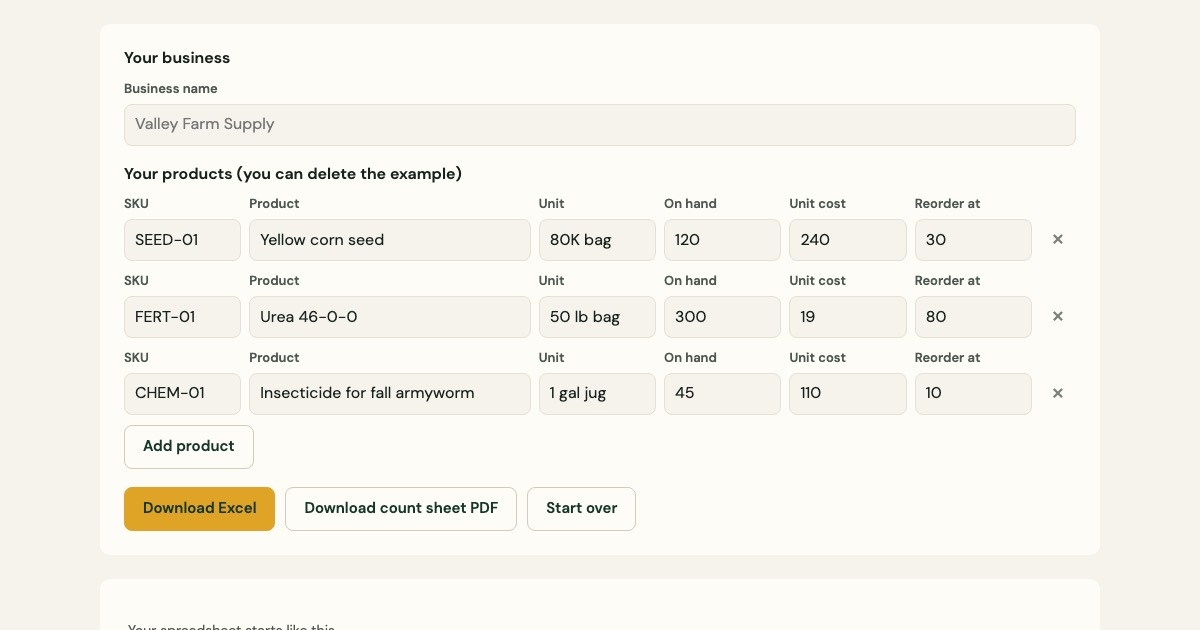
Add your products below and download the template with the formulas ready. You can also print a sheet for your physical count.
Columns in the template
| Column | What you enter | Formula |
|---|---|---|
| SKU | A short code for each product. | None |
| Product and unit | Name and how you sell it: bag, gallon, ton. | None |
| Starting qty | What you have when you start. | None |
| In | What you buy or receive. | None |
| Out | What you sell or ship. | None |
| On hand | Calculates on its own. | =Starting + In − Out |
| Unit cost | What each unit costs you. | None |
| Value | Calculates on its own. | =On hand × Unit cost |
| Reorder at | The minimum before you restock. | None |
| Reorder? | Says “Yes” when it is time to restock. | =IF(On hand <= Reorder at, "Yes", "No") |
How to set up an inventory spreadsheet
- List every product with a SKU and a unit.
- Count what you have today and enter it as the starting quantity.
- Enter the unit cost from your last purchase.
- Set a reorder point for each product.
- Download the template with your products filled in.
- Log what comes in and goes out every day.
- Check the Reorder? column before you place a supplier order.
- Count physically every month and compare with the spreadsheet.
Excel formulas for inventory
| Purpose | Formula (row 5) |
|---|---|
| On hand | =D5+E5-F5 |
| Value | =G5*H5 |
| Reorder flag | =IF(G5<=J5,"Yes","No") |
| Total value | =SUM(I5:I34) |
Example: inventory at a farm supply store
| Item | Unit | In stock | Reorder point | Status |
|---|---|---|---|---|
| Urea 46% | 50 lb bag | 120 | 80 | OK |
| Seed corn | Bag, 80K seeds | 35 | 40 | Reorder |
| Glyphosate | 2.5 gal jug | 18 | 12 | OK |
| Cattle mineral | 50 lb bag | 9 | 20 | Reorder |
Example. The status column turns to «Reorder» when stock falls to the reorder point.
How to set a reorder point
| Step | Example with seed corn |
|---|---|
| Average sales per week | 20 bags |
| Supplier lead time | 2 weeks |
| Safety stock | 10 bags |
| Reorder point | 20 × 2 + 10 = 50 bags |
Raise the reorder point before planting, when sales double.
Types of inventory spreadsheets
| Template | Good for |
|---|---|
| Stock list | Knowing what you have and where |
| Stock in and out | Recording every purchase and sale |
| Reorder list | Knowing what to buy this week |
| Physical count sheet | Counting shelves once a month |
| Asset list | Equipment and tools, not products for sale |
Monthly physical count
- Print the count sheet with items and units, without the stock numbers.
- Count each shelf and write what you see.
- Compare the count with the spreadsheet.
- Find the reason for each difference: damage, a missed sale or a mistake.
- Adjust the spreadsheet with a note on each change.
Excel or Google Sheets
The template from this page opens in both. Google Sheets is easier to share with the team. Excel works better without internet.
Common inventory mistakes
- The same item under two names: stock looks lower than it is.
- Mixed units: tons in and bags out.
- Editing stock by hand: record the movement instead.
- Never counting: the spreadsheet drifts away from the shelf.
Keep inventory records
IRS Publication 583 says your supporting documents should show the amount paid for inventory. Keep the receipts and invoices behind every purchase you log.
Inventory value at cost
Inventory value is units on hand times unit cost. The template adds it up for every item and for the whole store.
| Item | On hand | Unit cost | Value |
|---|---|---|---|
| Urea 46%, 50 lb bag | 120 | $19.00 | $2,280.00 |
| Seed corn, 80K bag | 35 | $240.00 | $8,400.00 |
| Glyphosate, 2.5 gal jug | 18 | $42.00 | $756.00 |
| Total | $11,436.00 |
Example costs.
From inventory to quotes
Your inventory list is also your product list. Upload it to Agroqs and quote customers with the same names and units.
Common questions
How do I make an inventory spreadsheet in Excel?
Make columns for product, starting quantity, in, out and on hand. Add a formula that adds in and subtracts out. The template on this page already has it.
What formulas do I need for inventory?
On hand equals starting plus in minus out. Value equals on hand times unit cost. A reorder flag uses IF.
How often should I count inventory?
Monthly is a good start. Counting often finds shrinkage and logging errors before they grow.
Inventory for seasonal stores
Farm supply sales jump before planting. Raise reorder points for seed and fertilizer a month before the season.
After the season, lower them again so cash is not tied up in product that sits on the shelf.
Track lot numbers and expiration dates for crop protection products and some seed. Sell the oldest lot first.
Who updates the spreadsheet
Pick one person per shift. Everyone else writes movements on a sheet that goes into the spreadsheet the same day.
Inventory spreadsheet or inventory software
A spreadsheet works well for a single store with a few hundred items and one person updating it every day.
Inventory software makes sense with several locations, lot tracking or a point of sale that should lower stock on every sale.
Agroqs does not track inventory. It uses your product list to quote customers, so the names and units in both places should match.
Whichever you choose, the habit matters more than the tool: record every movement the same day and count the shelves every month.
Setting up the template in one afternoon
Start with your best-selling items. Write the SKU, a clear name, the unit you sell in and today's count from the shelf.
Add the unit cost from your last supplier invoice and a reorder point. Use the seed corn example on this page as a guide.
From the next morning, record every purchase and sale. After two weeks, add the slower items and do a first full count.
Once the spreadsheet matches the shelf, use the reorder column every Monday to build that week's purchase list.
Reading the spreadsheet every week
Every Monday, sort by the reorder column and build the week's purchase list from the items marked «Reorder». Check lead times before ordering.
Then sort by value. The few items with the most money tied up deserve the closest count and the best supplier prices.
Finally, look for items with no sales in months. Bundle them in a promotion or return them to the supplier if your agreement allows it.
Small, steady habits beat a perfect system. Record every movement the same day, count once a month and adjust the reorder points each season. After three months, the spreadsheet will tell you what sells, what sits and what to buy before planting.
With your product list in Agroqs you can send quotes with your prices in two minutes.
Try Agroqs freeFrequently asked questions
How to make a spreadsheet for inventory?
List each item with SKU, unit, starting quantity, cost and reorder point, then record what comes in and goes out. The template on this page has the formulas.
Is there a free inventory sheet template?
Yes. Download the inventory spreadsheet on this page for free, with no account.
Does Excel have an inventory template?
Yes, Excel has several. The one on this page is set up for stores that sell in bags, jugs and tons, with a reorder alert.
Does Google Sheets have an inventory template?
You can open the template from this page in Google Sheets. The formulas keep working.
Sources
- IRS Publication 583, Starting a Business and Keeping Records (Rev. December 2024). Reviewed in November 2026.
Updated November 12, 2026